
Start LiveQ today
Try the features on our free plan
Live polls / Q&A / Voting / Quiz tool
Make your Presentations interactive and exciting
With LiveQ, you can easily collect questions, host quizzes, and run polls in real time.
Why not make your classes, seminars, meetings, and events more exciting?
Works with Zoom and other web conferencing tools
Challenges
In classes, meetings, and seminars,
do these challenges sound familiar?
LiveQ was built to solve these challenges.
One-way communication bores your audience
Does your session end up as a one-sided lecture, with the audience losing focus along the way?
You can't read your audience
While you speak, can you tell whether the audience understands, how they feel, or whether they are even listening? Online, you can barely see their faces.
Nobody asks questions
You ask for questions, and nobody raises a hand — it happens all the time. People do have questions and opinions, but shyness and hesitation hold them back, and valuable opportunities are lost.
Features
What you can do with LiveQ
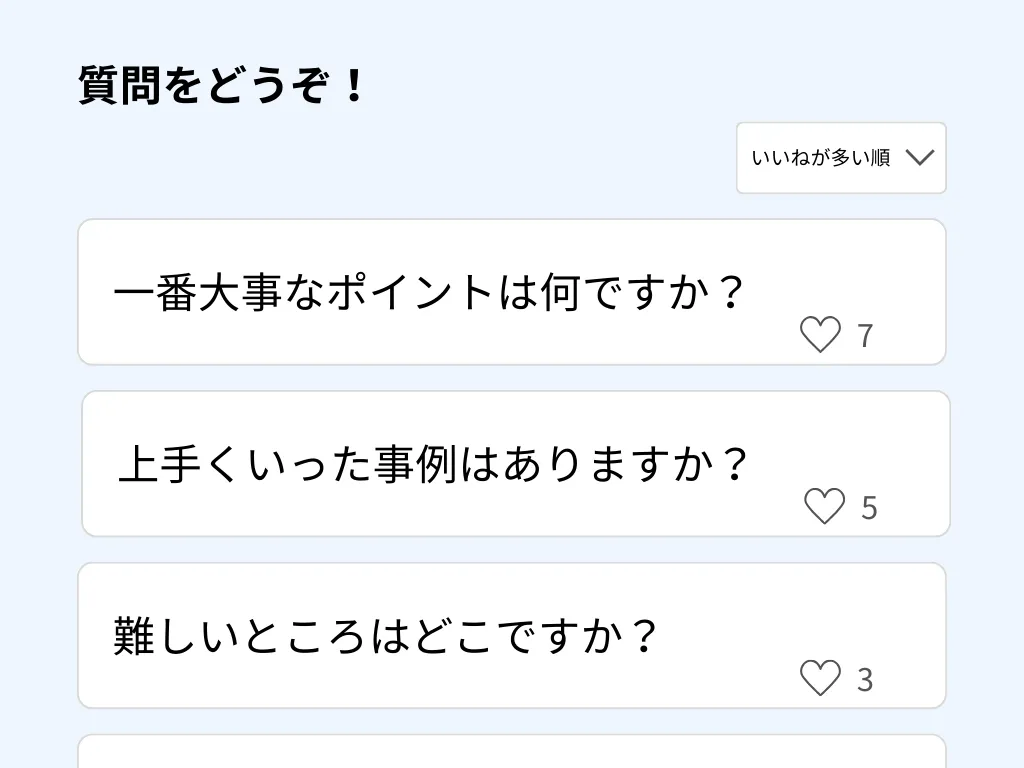
Collect comments and questions
Accept comments so even shy participants can share questions and opinions. Participants use their phones to ask questions anonymously and like the ones they care about, showing you which topics matter most. Submitted comments appear on screen in real time.
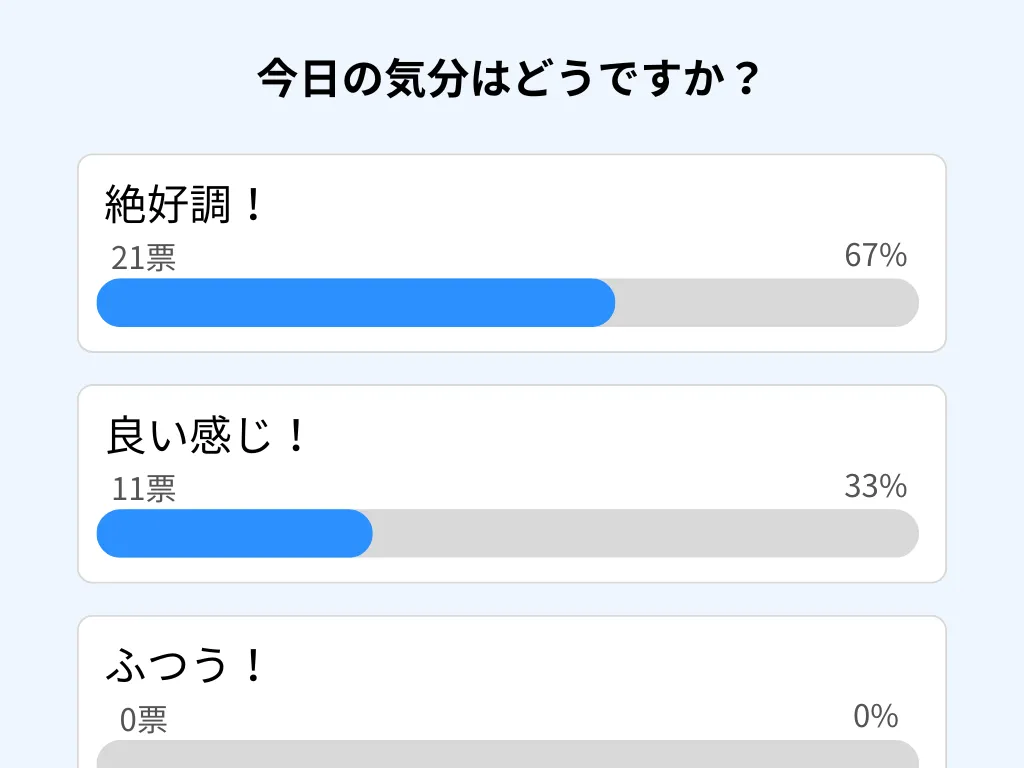
Run live polls
See what your audience feels and thinks in real time. Also great as an opening icebreaker.

Host quizzes
Use quizzes to check understanding and liven up the room. You can also show a leaderboard ranked by score.

Build a word cloud together
Turn words collected from participants into a real-time word cloud. Frequently submitted words appear larger, making the room's voice and impressions visible at a glance.
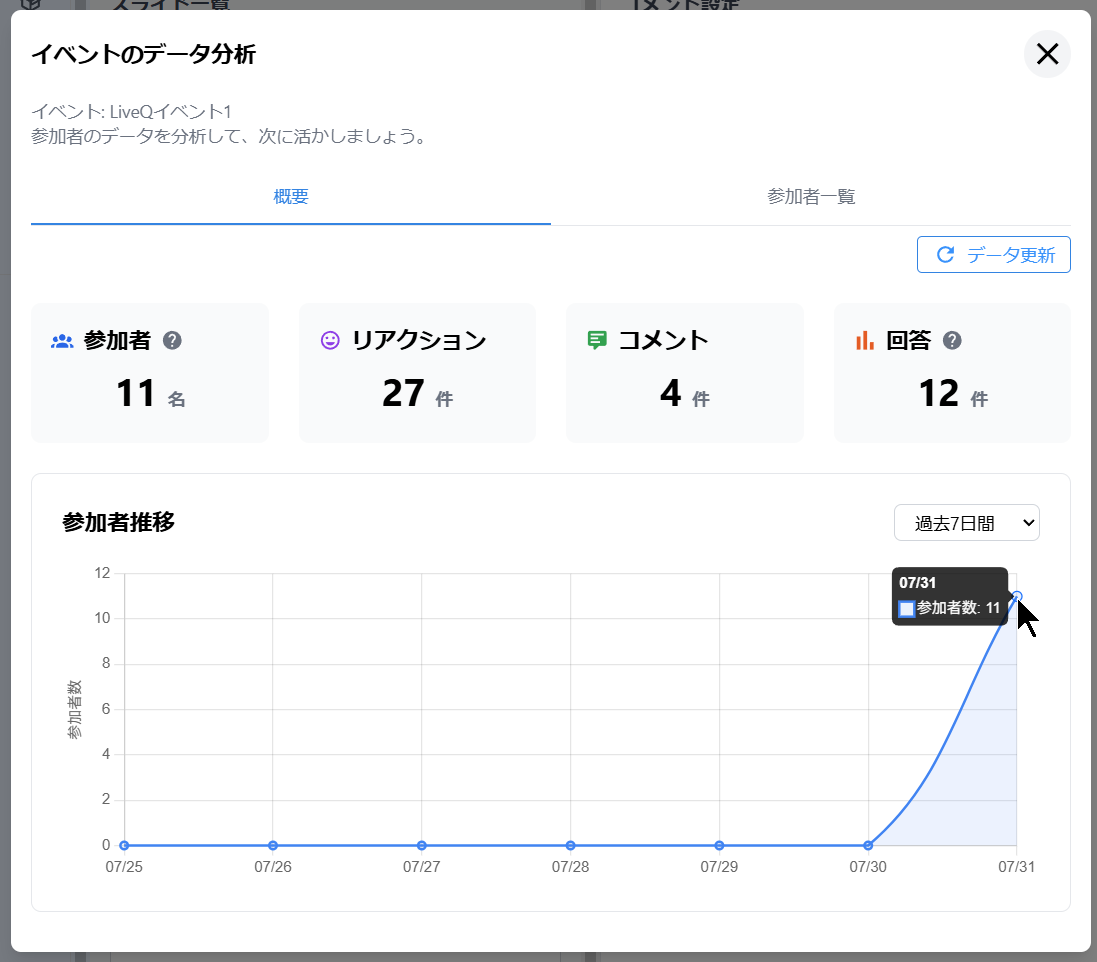
Analytics
Analyze participant access data. Visualize participant counts, reactions, comments, and more — all in one place.
How it works
Get started in 3 simple steps
- 1
Sign up (free)
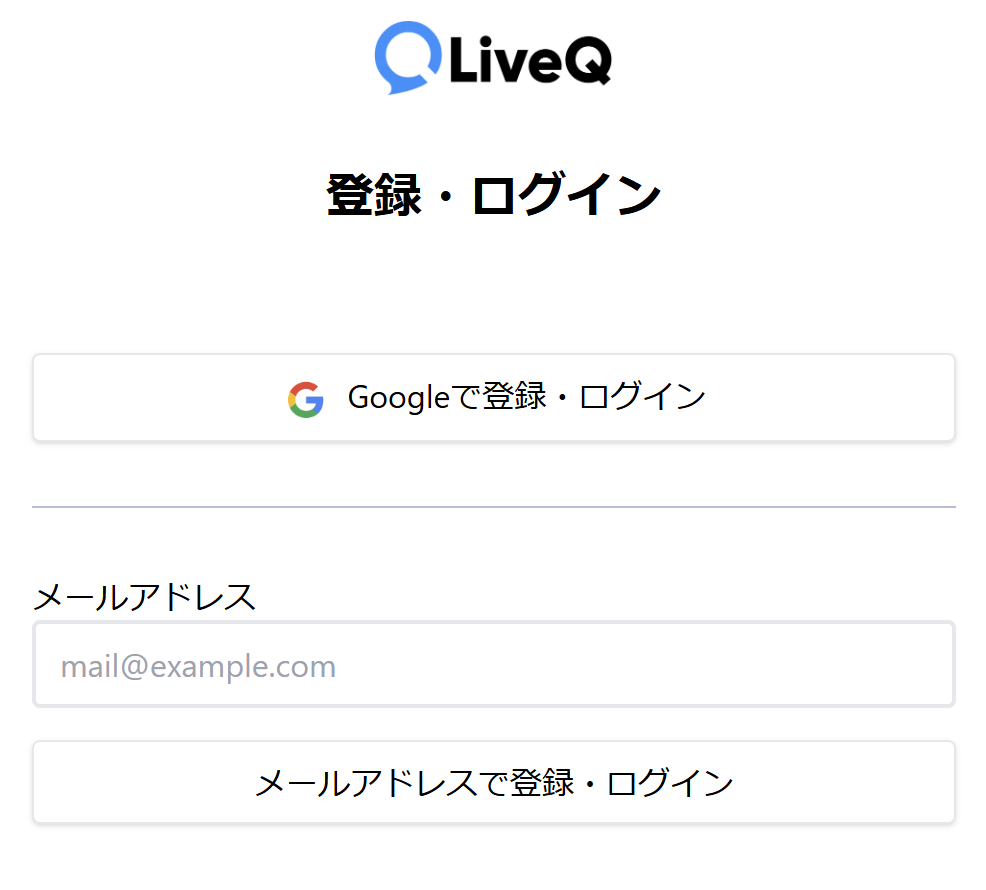
Click "Start for free" and create your account.
- 2
Create an event
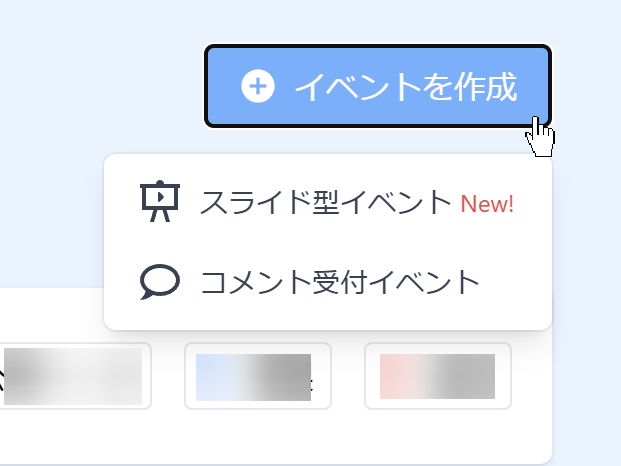
Create an event. Once created, you get a link and QR code for the event page.
- 3
Share with participants
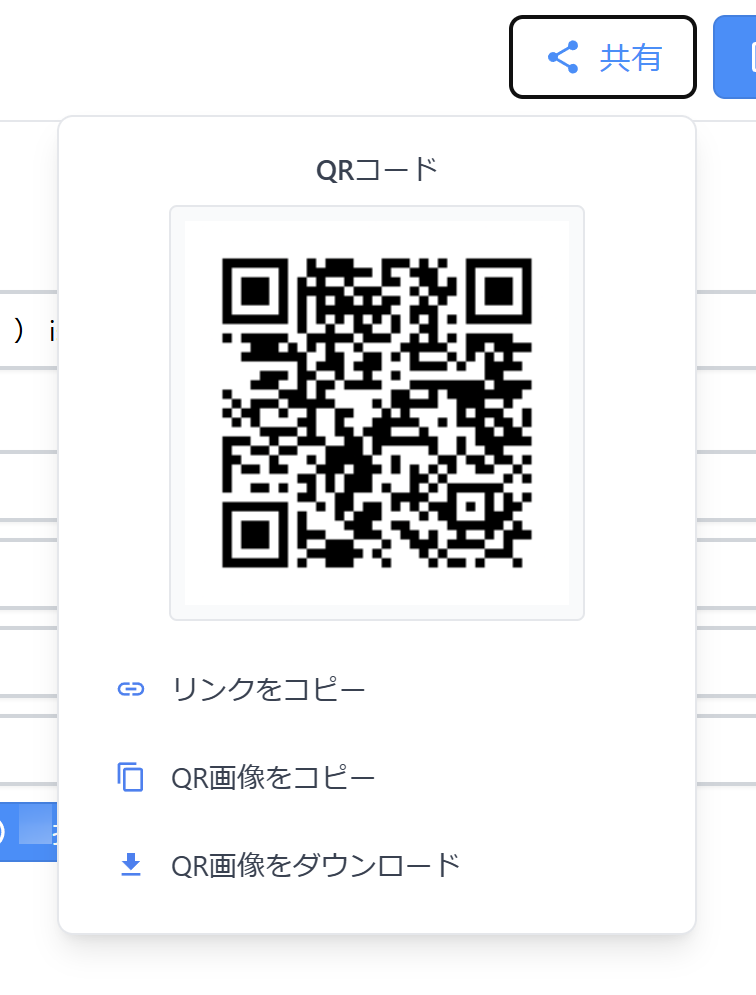
Share your event page with participants via the link or QR code. For web meetings, screen sharing works great.
Use Cases
Used in companies, schools, and beyond
Classes
Answering questions deepens students' understanding and makes classes more fun. Enable active learning through two-way lessons.
Training & Seminars
Use Q&A and live polling in corporate training to visualize trainee understanding and run more effective sessions.
Recruiting Events
Hear what candidates really think, in real time.
Conferences
Collect questions and feedback in real time across every conference session for an interactive event experience.
Trade Shows
Accept questions from visitors at your booth to gauge interest in your products and services in real time.
Academic Conferences
Provide a Q&A platform for academic talks and sessions, encouraging knowledge sharing among attendees.
All-Hands & Meetings
Collect employee voices in real time at all-hands meetings for genuine two-way communication.
Shareholder Meetings
Aggregate shareholder voices in real time and build trust through transparent shareholder meetings.
Energize your seminars with LiveQ
Why not start for free?
What our users say
We use it to collect opinions and questions from students in real time (with a live feel) during class.
Anyone can join easily just by scanning a QR code.
Easy to use.
It delivers exactly the features we wanted — nothing more.
The lack of unnecessary features is wonderful.
Questions rarely come up in online training,
but with LiveQ, questions keep pouring in.
The interface is very intuitive,
and collecting responses anonymously is great.
Classes and training became hands-on and participatory — a world of difference from before.
LiveQ deserves to be much more widely known. A truly wonderful tool.
Simple and easy to use.
Participants can access it easily via QR code.
We use it to collect opinions and questions from students in real time (with a live feel) during class.
Anyone can join easily just by scanning a QR code.
Easy to use.
It delivers exactly the features we wanted — nothing more.
The lack of unnecessary features is wonderful.
Questions rarely come up in online training,
but with LiveQ, questions keep pouring in.
The interface is very intuitive,
and collecting responses anonymously is great.
Classes and training became hands-on and participatory — a world of difference from before.
LiveQ deserves to be much more widely known. A truly wonderful tool.
Simple and easy to use.
Participants can access it easily via QR code.